

How do I change Passcode/PIN for my Okto wallet?
Updated
When you register for an Okto account, we prioritize the security of your funds by requesting that you set up a login PIN as an additional security measure.
To change your account PIN, follow the following steps:
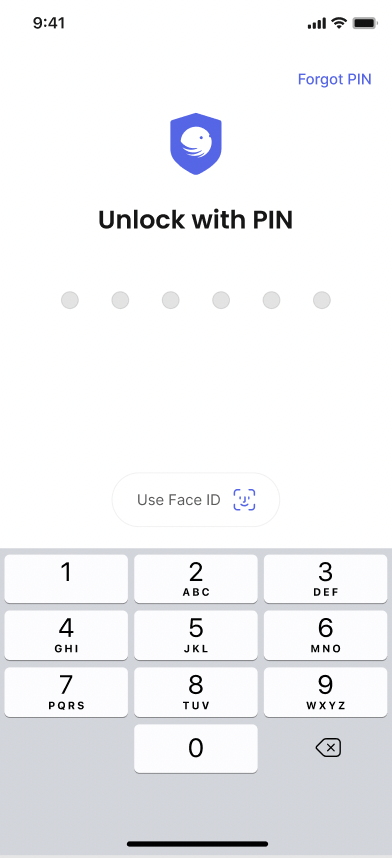
In case you are logged out from your Okto app:
During the login process, when Okto asks for PIN, click on 'Forgot PIN' on top right.
Click on 'Continue' on 'Reset Pin' confirmation prompt.
Enter your Email and OTP sent to your Email.
Enter your Okto Password.
Enter your new Okto PIN and confirm it.
In case you are logged in your Okto app:
Tap on your Profile icon located at the top-left corner.
Select 'Security' from the options.
Click on the 'Change PIN' button.
Enter your desired new Okto PIN and confirm it.


